If you’re trying to grow a YouTube channel, you’ve probably noticed that there are a lot of tools claiming to help with SEO. Some promise better keywords, others focus on titles and tags, and some try to do almost everything in one place. The problem is that many of these tools have limited free versions, and it isn’t always obvious which ones are actually useful.
So, instead of simply listing every YouTube SEO tool we could find, we looked at what each tool is actually good for and what you can use without paying. Some are better for keyword research, some for understanding your audience and competitors, and others are useful for optimizing titles, descriptions, or thumbnails.
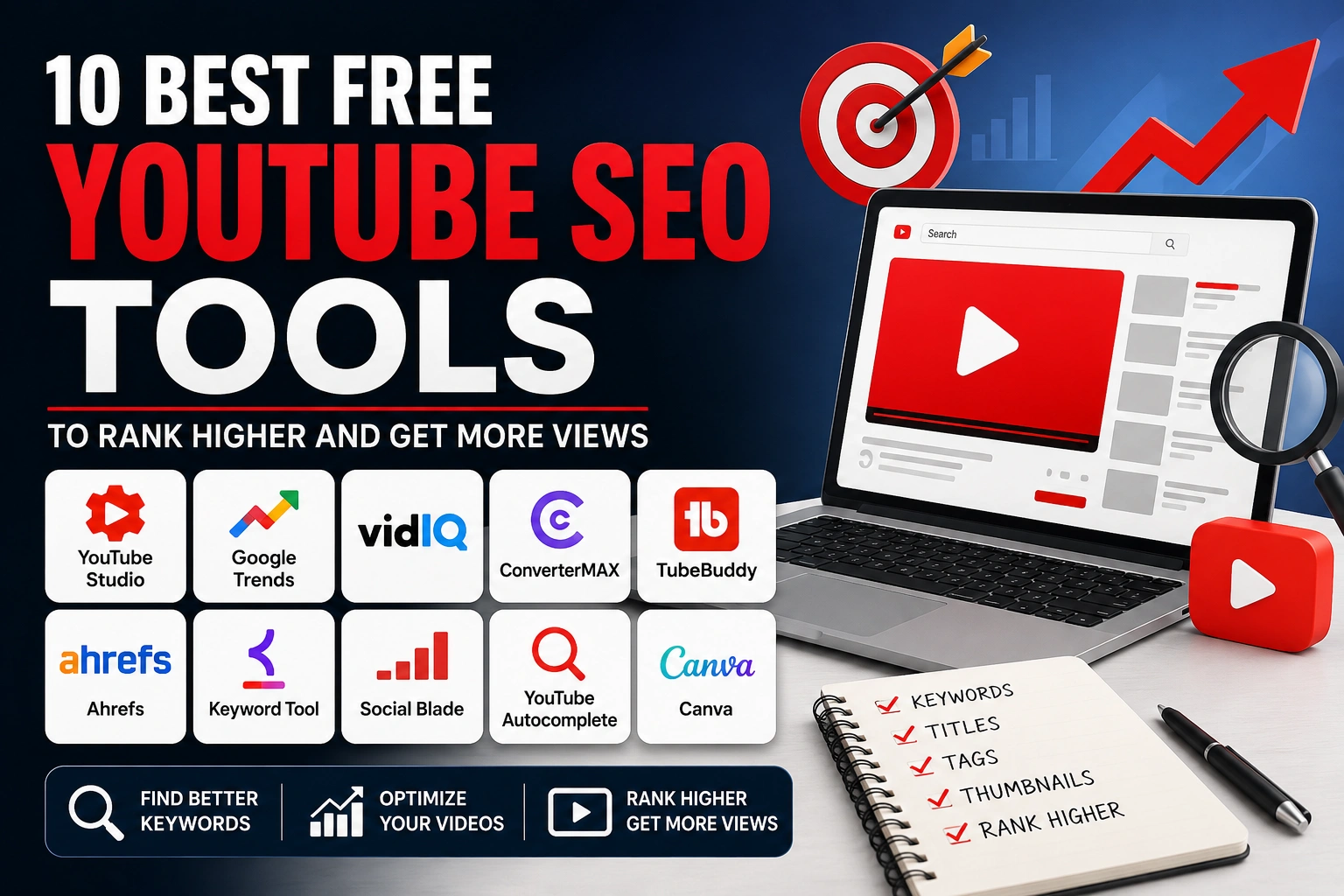
In this guide, you’ll find the best free YouTube SEO tools in 2026, along with what each tool does well, its limitations, and who it’s most suitable for. The goal isn’t to convince you to use one particular tool. It’s to help you find the tools that genuinely fit the way you create and optimize YouTube videos.
What Are YouTube SEO Tools?
YouTube SEO tools are tools that help creators research, plan, and optimize their videos so they have a better chance of being discovered by the right viewers.They can help with different parts of the YouTube workflow, including finding topics people are searching for, researching keywords, creating video titles, analyzing competitors, improving descriptions, checking channel performance, and finding ideas for future videos.
However, it's important to understand that YouTube SEO isn't just about keywords. A video can target the right keyword and still get very few views if people don't click on it or stop watching shortly after it starts. YouTube considers several signals when deciding which videos to show in Search and recommendations, including relevance, viewer engagement, and satisfaction.
That's why the best YouTube SEO tools aren't necessarily the ones with the longest list of features. A simple keyword research tool may be more useful to one creator, while another might get more value from analytics or competitor research.For this list, we're looking at tools based on what they can actually help you accomplish, how much you can use for free, and where their free versions become limited.
1. YouTube Studio — Best Free Tool for Your Own Channel
If you already have a YouTube channel, YouTube Studio is the first tool you should learn to use. You don’t need a separate subscription, and it gives you access to data directly from your own channel.
The Analytics section can help you understand where your views are coming from, what your audience is watching, how viewers are discovering your videos, and how individual videos are performing.
You can also use the Trends tab to explore what your audience and viewers across YouTube are searching for. Depending on your channel and region, it can surface popular searches, breakout videos, recent videos, and content gaps for Shorts.
What YouTube Studio is useful for
Checking video performance — See views, watch time, audience retention, impressions, and other important metrics.
Understanding your audience — Learn more about who is watching your content and what they are interested in.
Finding content ideas — Use the Trends section to discover searches and topics that may be relevant to your audience.
Checking traffic sources — Understand whether viewers are finding your videos through YouTube Search, Browse features, Suggested videos, external sources, and other places.
Improving future videos — Compare your successful and unsuccessful videos to identify patterns worth repeating.
The biggest advantage is simple: the data comes from your actual channel and audience. You're not relying entirely on estimates from a third-party SEO tool.
It's also completely free.
YouTube Studio isn't a dedicated keyword research platform. It won't give you the same type of extensive keyword competition and search-volume data that some third-party tools provide.
It's also more useful once you have some channel data. If you're starting a brand-new channel with little or no audience data, you'll need other methods to research topics and keywords.
Creators who want to understand their own channel, audience, and video performance without paying for an SEO subscription.
2. Google Trends — Best for Finding Trending Topics
Google Trends isn’t a dedicated YouTube SEO tool, but it can be surprisingly useful when you’re trying to decide which topics are worth making videos about.
You can enter a topic or search term and see how interest has changed over time. You can also compare multiple terms, explore related searches, and narrow the data by location and time period.
For YouTube creators, this can help answer a simple question: Is interest in this topic growing, declining, or staying relatively stable?
For example, if you’re choosing between two similar video topics, Google Trends can show whether one has recently gained more search interest. You can also use it to spot seasonal topics that tend to become popular at particular times of the year.
However, don’t treat Google Trends numbers as exact YouTube search volume. Google Trends measures search interest across Google’s ecosystem, so it should be used as a directional research tool, not as proof that a particular keyword will get a certain number of YouTube searches.
What it’s useful for
- Comparing potential video topics
- Finding rising or declining search interest
- Discovering seasonal trends
- Exploring related search terms
- Researching topics for a specific country or region
- Validating ideas before spending time making a video
What we like
It’s free, simple to use, and doesn’t require you to create a complicated SEO workflow. It’s particularly useful when you have several possible topics and want another data point before choosing one.
What we don’t like
Google Trends doesn’t tell you exactly how many people are searching for a keyword on YouTube. It also doesn’t provide the detailed YouTube-specific competition and channel data that dedicated creator tools can offer.
Best for
Creators who want to validate video topics, compare trends, and understand whether interest in a subject is increasing or decreasing.
Free? Yes.
3. vidIQ — Best for YouTube-Focused Research
vidIQ is built specifically for YouTube creators, so its focus is much narrower than a general SEO platform. It combines keyword research, video ideas, channel insights, and optimization features in one place.
One reason creators use vidIQ is that it can help turn a broad topic into more specific video ideas and keywords. It can also be useful for researching competing channels and understanding what types of content are performing in a particular niche.
The important catch is that vidIQ is a freemium tool. You can use some features without paying, but more advanced research and AI-powered functionality are restricted to paid plans. So it’s worth testing the free version before deciding whether you actually need a subscription.
What it’s useful for
- Finding YouTube keyword ideas
- Generating video ideas
- Researching topics in your niche
- Getting channel and video insights
- Studying competitors
- Planning content around specific keywords
What we like
The biggest advantage is that vidIQ is designed around YouTube rather than general web search. That makes its workflow more relevant to creators who want keyword and content research specifically for the platform.
The interface also puts several creator-focused features in one place, which can be convenient if you don’t want to use a different tool for every part of your research.
What we don’t like
The free version is limited compared with the paid plans. Some of the features that make vidIQ particularly powerful are locked behind subscriptions.
It’s also easy to become overly dependent on the tool’s scores and recommendations. Treat them as guidance rather than guarantees that a video will rank or get views.
Best for
YouTube creators who want a dedicated platform for keyword research, content ideas, and channel research and are willing to work within a limited free plan.
Free? Yes, with limitations.
4. ConverterMAX — Best for Simple YouTube SEO Tasks
ConverterMAX takes a more straightforward approach to YouTube optimization. Instead of trying to provide a large all-in-one analytics platform, it offers separate tools for specific tasks that creators commonly need when preparing a video.
Its YouTube tools currently include a YouTube Keyword Generator, YouTube Title Generator, YouTube Description Generator, YouTube Tag Generator, and YouTube Hashtag Generator.
That makes it useful if you don’t need advanced channel analytics and simply want help with the planning and optimization side of publishing a video.
For example, you can use the keyword generator to explore keyword ideas, then use those ideas when working on your title and description. The other tools can help you generate different pieces of your video’s metadata without having to build everything from scratch.
What it’s useful for
Generating YouTube keyword ideas
Creating video title ideas
Drafting YouTube descriptions
Generating tags
Finding relevant hashtags
Handling basic YouTube optimization tasks in one place
What we like
The main advantage is simplicity. Each tool focuses on a specific task, so you don’t need to learn a complicated dashboard just to generate a few ideas.
It’s also useful for creators who want to experiment with different titles, keywords, or descriptions before deciding what to publish.
What we don’t like
ConverterMAX isn’t a replacement for YouTube Studio or dedicated analytics platforms. It doesn’t give you access to your channel’s private performance data, audience retention, or the depth of competitor and keyword data available in some paid SEO platforms.
AI-generated suggestions should also be treated as a starting point rather than something you should copy without editing. Your final title, description, and keywords should still match the actual video and the audience you’re targeting.
Best for
Creators who want simple, free tools for generating and refining different parts of their YouTube SEO workflow without using a complex SEO platform.
Free? Yes.
5. TubeBuddy — Best for YouTube Optimization
TubeBuddy is another well-known tool built specifically for YouTube creators. Rather than focusing only on keyword research, it provides a broader collection of tools for researching, optimizing, and managing videos.
Its features can help with areas such as keyword research, video optimization, tags, titles, thumbnails, and channel management. Some of its functionality is available through its browser extension, which can make certain features accessible while you’re working directly on YouTube.
Like vidIQ, though, TubeBuddy isn’t completely free. The free version gives you access to selected features, while more advanced tools and higher usage limits are available through paid plans.
What it’s useful for
- Researching YouTube keywords
- Optimizing video metadata
- Getting title and content ideas
- Working with tags
- Improving thumbnails
- Managing parts of your YouTube workflow
- Checking information about competing videos and channels
What we like
TubeBuddy has been built specifically around the YouTube workflow, so many of its features are practical for creators rather than being general SEO functions adapted for YouTube.
Its browser extension can also make certain optimization tasks more convenient because you can access relevant features while browsing YouTube.
What we don’t like
The free version is fairly limited compared with what TubeBuddy offers through its paid plans. If you want access to its more advanced optimization and research features, you’ll eventually run into those restrictions.
Also, don’t assume that using every optimization feature will automatically improve your rankings. YouTube SEO is only one part of getting views; the quality and relevance of the actual video still matter.
Best for
Creators who want YouTube-specific optimization features and prefer having several SEO and channel-management functions in one platform.
Free? Yes, with limitations.
6. Ahrefs — Best for Advanced Keyword Research
Ahrefs is better known as a general SEO platform for websites, but it can still be useful to YouTube creators who want to go deeper into keyword and topic research.
Its strength is search data and keyword research. You can use it to explore related search terms, understand search demand, and find broader topics that could potentially be turned into YouTube videos.
This can be particularly useful when you’re building content around a specific niche and don’t want to rely entirely on YouTube’s autocomplete suggestions.
However, there’s an important limitation: Ahrefs isn’t designed primarily for YouTube creators. Its data and features are largely built around search engine optimization, so you shouldn’t treat its keyword metrics as exact measurements of YouTube search volume.
Ahrefs does offer some free tools, but many of its more advanced features require a paid plan.
What it’s useful for
- Finding keyword ideas
- Discovering related topics
- Researching search demand
- Exploring long-tail keywords
- Finding content opportunities
- Understanding broader search trends
What we like
Ahrefs is useful when you want to approach YouTube content research from a broader SEO perspective. It can help you discover topics and keyword variations that you might not find by relying only on YouTube search suggestions.
What we don’t like
It can be overkill if your only goal is to find a few YouTube keywords. Many of its features are designed for website SEO rather than YouTube, and the more advanced functionality comes with a paid subscription.
Most importantly, don’t confuse Google search volume with YouTube search volume. A keyword that gets substantial Google searches doesn’t necessarily have the same demand on YouTube.
Best for
Experienced creators, marketers, and SEO users who want deeper keyword and topic research beyond YouTube’s own search interface.
Free? Some tools are free; advanced features require a paid plan.
7. Keyword Tool — Best for YouTube Autocomplete Keywords
Keyword Tool is a simple option for finding keyword ideas from YouTube’s search suggestions. Instead of trying to tell you exactly what will rank, it helps you discover the phrases people are likely to type into YouTube.
You enter a broad topic, select YouTube as the platform, and the tool generates related keyword suggestions. This can be useful when you already have a general video idea but need more specific phrases to explore.
For example, if your topic is “home workout,” you might discover longer variations such as “home workout for beginners,” “home workout without equipment,” or other related searches. These suggestions can then give you ideas for individual videos or help you refine your titles.
The free version is useful for basic keyword discovery, but some features and additional data are limited unless you upgrade.
What it’s useful for
- Finding YouTube keyword ideas
- Discovering long-tail keywords
- Exploring related search phrases
- Generating content ideas from autocomplete
- Expanding a broad topic into more specific searches
What we like
It’s straightforward and doesn’t require you to understand complicated SEO metrics. If you simply want a list of phrases related to a topic, it can get you started quickly.
It’s also more focused on YouTube than general keyword research platforms.
What we don’t like
Keyword suggestions alone don’t tell you whether a keyword is easy to rank for or whether it will generate meaningful views. You’ll still need to evaluate the competition, search intent, and relevance to your audience.
The free version also has limitations compared with the paid version.
Best for
Creators who want quick YouTube keyword ideas and long-tail search phrases without dealing with a complicated SEO platform.
Free? Yes, with limitations.
8. Social Blade — Best for Channel and Competitor Research
Social Blade is not a traditional YouTube SEO tool, but it can be useful when you want to understand how other channels in your niche are performing.
It provides public statistics and historical data for YouTube channels, allowing you to look at things such as subscriber growth, views, video performance, and estimated earnings. This makes it useful for getting a broader picture of a competitor’s channel rather than focusing only on individual keywords.
For example, if you’re thinking about entering a particular niche, you can look at several established channels and compare their growth patterns. You can also identify channels that are growing quickly and study the types of content they’re publishing.
Keep in mind that third-party estimates aren’t the same as a creator’s actual YouTube Analytics data. Estimated earnings, in particular, should be treated as rough estimates rather than accurate financial information.
What it’s useful for
- Researching competing YouTube channels
- Comparing channel growth
- Checking subscriber and view trends
- Studying historical channel performance
- Getting an overview of a niche
- Finding channels worth researching further
What we like
Social Blade makes competitor research easy to understand. You don’t need access to another creator’s private analytics to get a general idea of how their public channel metrics have changed over time.
It’s particularly useful when you’re researching a niche before starting a channel.
What we don’t like
It doesn’t provide the keyword research and video optimization features you’d expect from a dedicated YouTube SEO platform.
Some of its data, especially estimated earnings, can also be easy to misinterpret. Use it for comparison and research, not as a source of exact numbers.
Best for
Creators who want to research competitors, compare channels, and understand the broader landscape of a YouTube niche.
Free? Yes, with additional features available through paid plans.
9. YouTube Search Autocomplete — Best Completely Free Keyword Source
You don’t always need a dedicated SEO tool to find YouTube keywords. YouTube’s own search bar can give you useful clues about what people are searching for.
Start typing a broad topic into YouTube and look at the suggestions that appear. These suggestions can help you discover longer and more specific search phrases that you may not have considered.
For example, if you type “fitness for”, YouTube might suggest phrases related to beginners, weight loss, home workouts, or other specific needs. You can then investigate those suggestions further by searching them on YouTube and looking at the videos that appear.
This method won’t give you search-volume numbers or a competition score. Its value is that you’re getting ideas directly from YouTube’s search system rather than relying on a third-party estimate.
What it’s useful for
- Finding long-tail YouTube keywords
- Discovering specific search phrases
- Generating video ideas
- Understanding how viewers phrase their searches
- Expanding a broad keyword into multiple topics
- Validating keyword ideas before creating a video
What we like
It’s completely free and available to everyone. You also don’t need to install anything, create an account with another service, or learn complicated SEO metrics.
For beginners, it’s one of the easiest ways to start researching YouTube keywords.
What we don’t like
YouTube doesn’t show you exact search volume, keyword difficulty, or detailed competition data through autocomplete.
The suggestions also shouldn’t be treated as proof that a keyword is highly searched. They’re useful signals, but you still need to look at the actual search results and consider whether the topic matches your audience.
Best for
Beginners and creators who want a quick, completely free way to discover YouTube search phrases and video ideas.
Free? Yes — completely free.
10. Canva — Best for Creating YouTube Thumbnails
Canva isn’t a YouTube SEO tool in the traditional sense, but it can help with one part of YouTube optimization that creators often overlook: the thumbnail.
A good keyword won’t help much if your video doesn’t attract clicks. Your thumbnail and title work together to give viewers a reason to choose your video when it appears in Search, Browse, or Suggested videos.
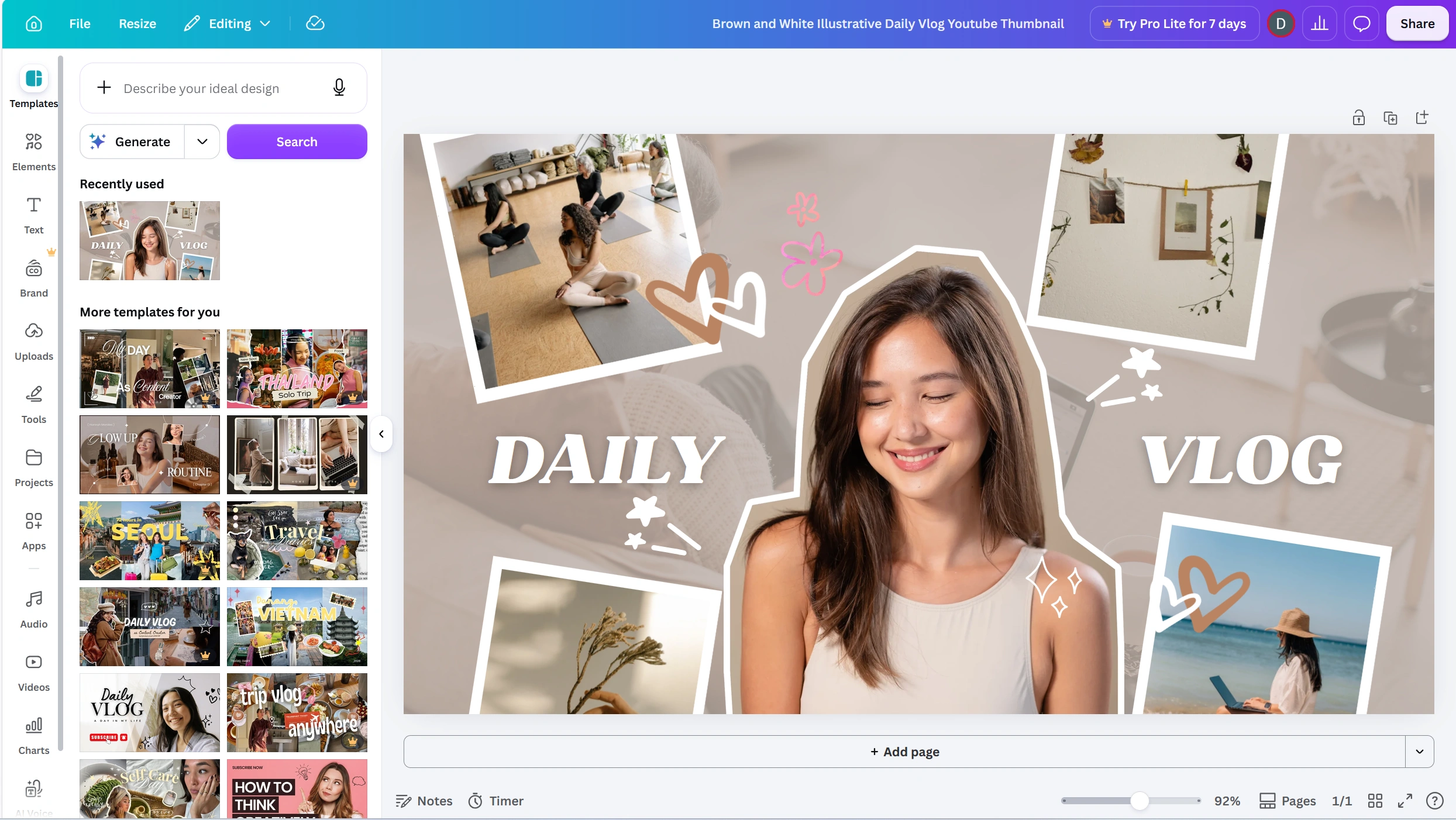
Canva makes it easy to create YouTube thumbnails without needing professional graphic-design skills. You can start with a template, replace the text and images, or create your own design from scratch.
The free version provides plenty of basic design features, although some templates, images, graphics, and AI-powered features are restricted to paid users.
What it’s useful for
- Creating YouTube thumbnails
- Designing channel graphics
- Testing different thumbnail concepts
- Adding readable text and visual elements
- Creating consistent branding across videos
- Designing Shorts-related graphics
What we like
The main advantage is accessibility. You don’t need advanced Photoshop or graphic-design skills to create a usable thumbnail.
There are also many YouTube-specific templates, which can save time when you’re creating thumbnails regularly.
What we don’t like
Templates can become a problem if you use them without customization. A thumbnail that looks almost identical to dozens of other channels isn’t necessarily going to stand out.
Canva also doesn’t tell you whether a thumbnail will get a high click-through rate. You still need to understand your audience and test what works.
Best for
Creators who want an easy way to create professional-looking YouTube thumbnails without learning complicated design software.
Free? Yes, with some features and assets limited to Canva Pro.
YouTube SEO Tools: Quick Comparison
If you don’t want to read through every review, the table below gives you a quick overview of what each tool is best suited for and whether you can use it for free.
| Tool | Best For | Keyword Research | Analytics | Video Optimization | Free Access |
|---|
| YouTube Studio | Channel analytics | ✓ | ✓ | ✓ | ✓ |
| Google Trends | Topic and trend research | ✓ | — | — | ✓ |
| vidIQ | YouTube research | ✓ | ✓ | ✓ | Limited |
| ConverterMAX | Simple YouTube SEO tasks | ✓ | — | ✓ | ✓ |
| TubeBuddy | Video optimization | ✓ | ✓ | ✓ | Limited |
| Ahrefs | Advanced keyword research | ✓ | — | — | Limited |
| Keyword Tool | YouTube keyword ideas | ✓ | — | — | Limited |
| Social Blade | Competitor research | — | ✓ | — | Limited |
| YouTube Autocomplete | Search phrase discovery | ✓ | — | — | ✓ |
| Canva | Thumbnail design | — | — | ✓ | Limited |
Which YouTube SEO Tool Should You Use?
There isn’t one tool that is best for every creator. Your choice depends on what you’re actually trying to improve.
For channel analytics: YouTube Studio is the obvious starting point because it uses your own channel data.
For finding trending topics: Google Trends is useful for comparing interest and spotting changes over time.
For dedicated YouTube research: vidIQ and TubeBuddy offer broader creator-focused features, although their free versions are limited.
For simple SEO tasks: ConverterMAX can be useful when you mainly need keyword, title, description, tag, or hashtag ideas.
For deeper keyword research: Ahrefs is better suited to creators who also work with broader SEO research.
For quick keyword ideas: YouTube Autocomplete and Keyword Tool can help you discover search phrases.
For competitor research: Social Blade provides a useful overview of public channel statistics.
For thumbnails: Canva is a practical option if you want to create thumbnails without professional design software.
The best approach isn’t necessarily to choose one tool and use it for everything. In many cases, a simple combination—such as YouTube Studio + a keyword research tool + a thumbnail tool—is enough to build a practical YouTube workflow without paying for several subscriptions.