
Image to Prompt Generator

Upload an image and let AI analyze it to generate the perfect prompt in seconds.

📸

Click to upload or drag and drop

JPG, PNG or WEBP (max. 30MB)

Image Preview

What Is an Image to Prompt Generator?

An image to prompt generator is an AI-powered tool that turns a picture into a detailed text prompt. Instead of describing an image from scratch, you simply upload a photo, artwork, or AI-generated image, and the tool analyzes its visual elements, such as the subject, composition, lighting, colors, style, and background, to create a prompt you can use with an AI image generator.

This process is often called reverse prompting or reverse image prompting because it works backward from an existing image to a detailed text description.

Whether you're a designer, AI artist, marketer, or content creator, an image to prompt tool can save time and make prompt creation easier by giving you a strong starting point instead of requiring you to describe every visual detail from scratch.

How to Use the ConverterMAX Image to Prompt Tool

Turn a reference image into a useful AI prompt in four simple steps. Upload your image, choose your preferred settings, and generate a prompt you can copy and refine.

01

Upload Your Image

Drag and drop your image into the tool or click to select a file from your device. JPG, PNG, and WEBP images up to 30MB are supported.

JPG · PNG · WEBP
02

Choose a Prompt Style

Select a prompt style that matches your workflow, including options such as Midjourney, ChatGPT / DALL-E, Flux, Photography, Cinematic, and more.

CHOOSE YOUR STYLE
03

Select Detail Level

Choose Short, Standard, Detailed, or Ultra Detailed depending on how much visual information you want included in the generated prompt.

CONTROL THE OUTPUT
04

Generate & Copy

Click Generate Prompt to create your result. Copy the generated prompt and use it with your preferred AI image generator or refine it for your project.

GENERATE · COPY · REFINE

Real Prompt Examples

Upload an image, choose a prompt style and detail level, and ConverterMAX turns the visual information into a structured prompt you can refine and use with your preferred AI image generator.
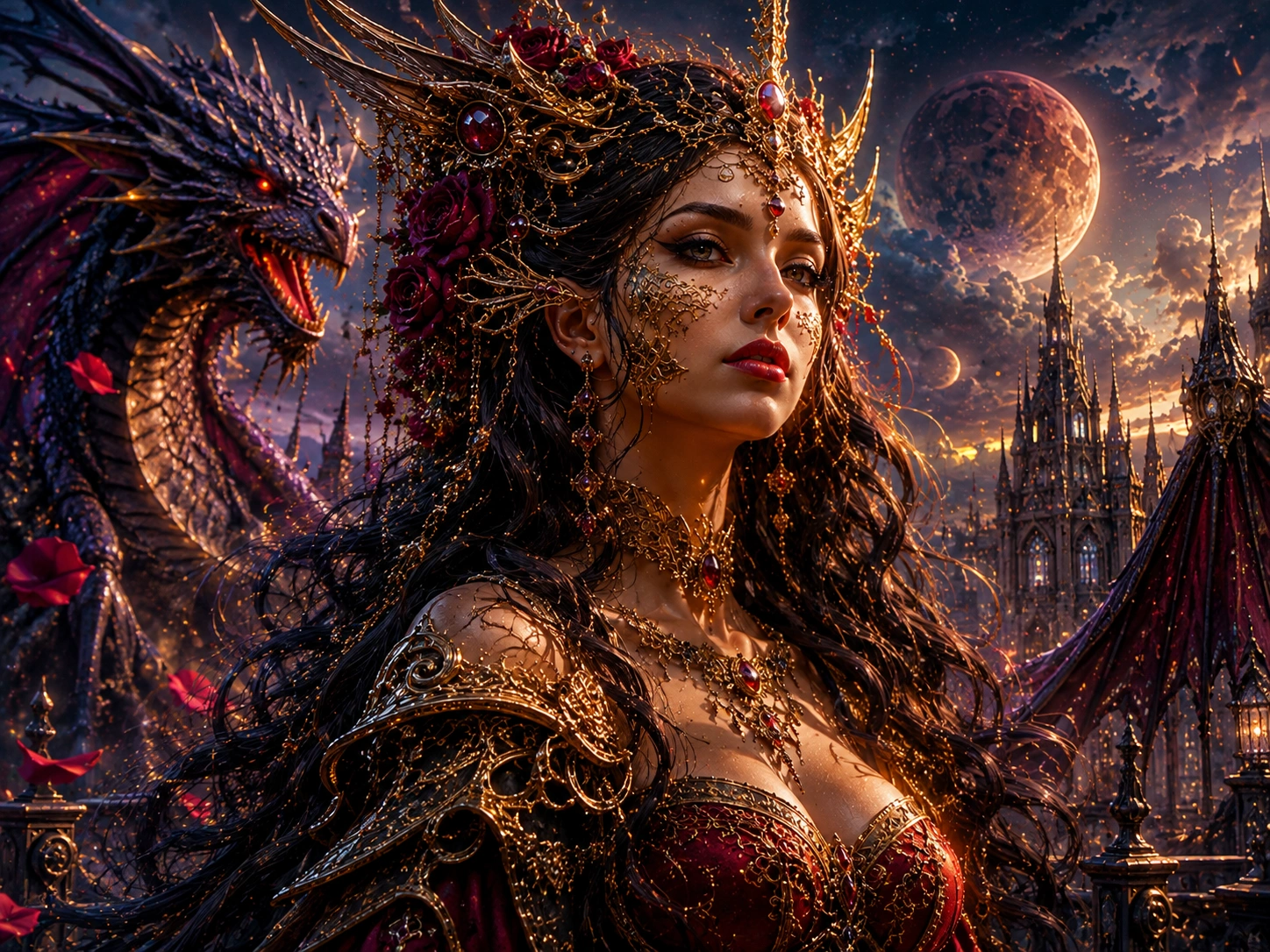
Fantasy portrait used as an image to prompt example Reference Image

Fantasy Portrait

01

A dramatic fantasy character portrait with flowing hair, ornate clothing, atmospheric lighting, and a mystical environment.

Style: Midjourney Detail: Detailed
Generated Prompt Copy & refine
ornate fantasy portrait of a regal woman with golden filigree face jewelry, elaborate crown with winged motifs and crimson gemstones, long flowing dark wavy hair with crimson roses, intricate golden armor with shoulder pauldrons and exposed shoulders, deep burgundy bodice with gold trim, multiple layered golden necklaces with red jewels, serpentine dragon companion with iridescent blue-purple scales and golden accents coiled behind her, gothic cathedral spires in misty background, massive celestial moon with cratered surface and ethereal glow, dramatic volumetric lighting with golden highlights and deep teal shadows, rich jewel-toned color palette of gold crimson sapphire and emerald, hyperdetailed digital painting, baroque fantasy aesthetic, cinematic composition, shallow depth of field with bokeh atmosphere, 8k resolution, masterpiece quality --ar 4:3 --v 6.0 --style raw --s 750

Best for: preserving character details, atmosphere, lighting, and cinematic styling.
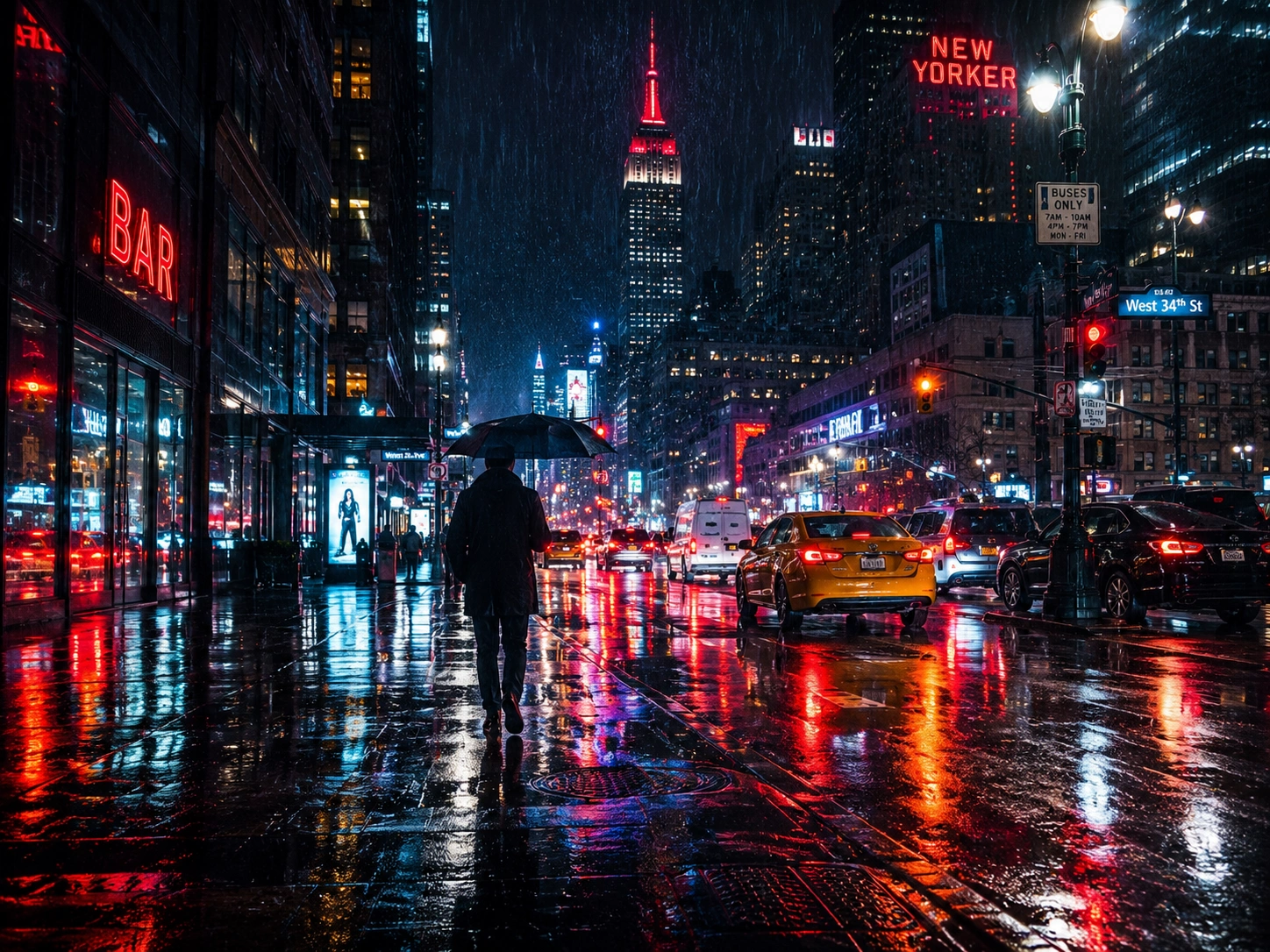
Rainy city street used as an image to prompt example Reference Image

Rainy City Street

02

A realistic nighttime city scene with rain, reflections, traffic lights, pedestrians, and atmospheric urban lighting.

Style: Photography Detail: Standard
Generated Prompt Copy & refine
Shot on Sony A7R IV with 35mm f/1.4 GM lens, Kodak Portra 800 pushed to 1600, f/2.0, 1/60s, handheld. Single silhouetted figure walking away from camera down rain-soaked Manhattan avenue at night, holding black umbrella, wearing dark overcoat. Empire State Building illuminated in red and white dominates center skyline. Wet asphalt reflects saturated neon, red bar sign left foreground, hotel sign upper right, blue street sign, amber taxi cabs and traffic lights bleeding color across pavement. Heavy rainfall visible as streaks against black sky. Deep shadows punctuated by commercial signage, streetlamps, and vehicle headlights. Cinematic urban atmosphere, noir aesthetic, high contrast between shadow and artificial light, shallow depth isolating figure from layered city depth. Moody, solitary, electric.

Best for: realistic scenes where lighting, perspective, reflections, and photographic details matter.
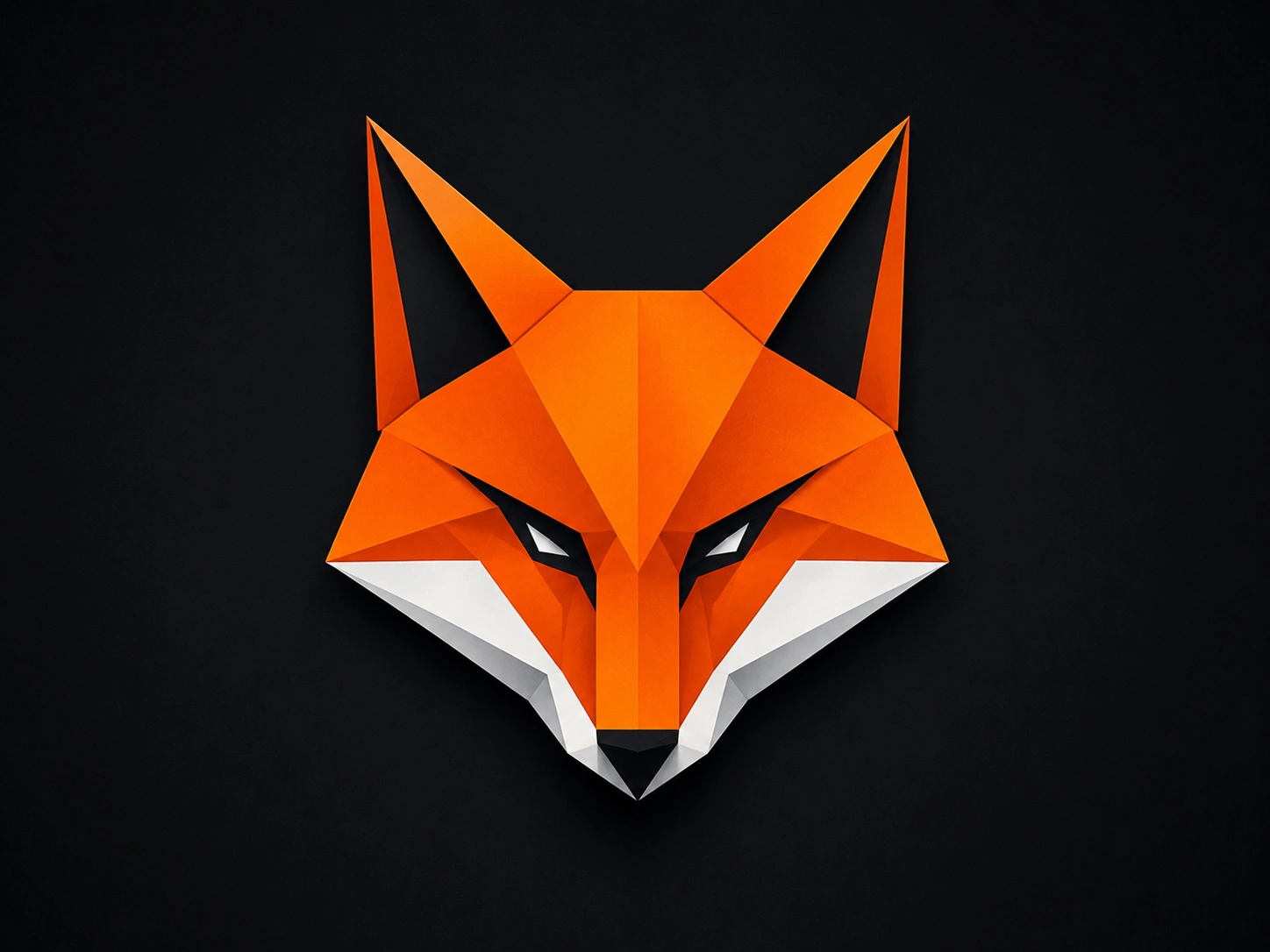
Geometric fox logo used as an image to prompt example Reference Image

Geometric Fox Logo

03

A minimalist fox logo built from clean geometric shapes, angular lines, and a simple modern visual identity.

Style: Short Detail: Short
Generated Prompt Copy & refine
Geometric low-poly fox head logo, symmetrical frontal view, sharp angular facets, vibrant orange with white muzzle and black inner ears, piercing white eyes with black outlines, solid black background, minimalist vector art style, clean digital illustration, bold graphic design, flat shading with subtle gradients, modern emblem aesthetic.

Best for: simple concepts where you want the AI to have more creative freedom.
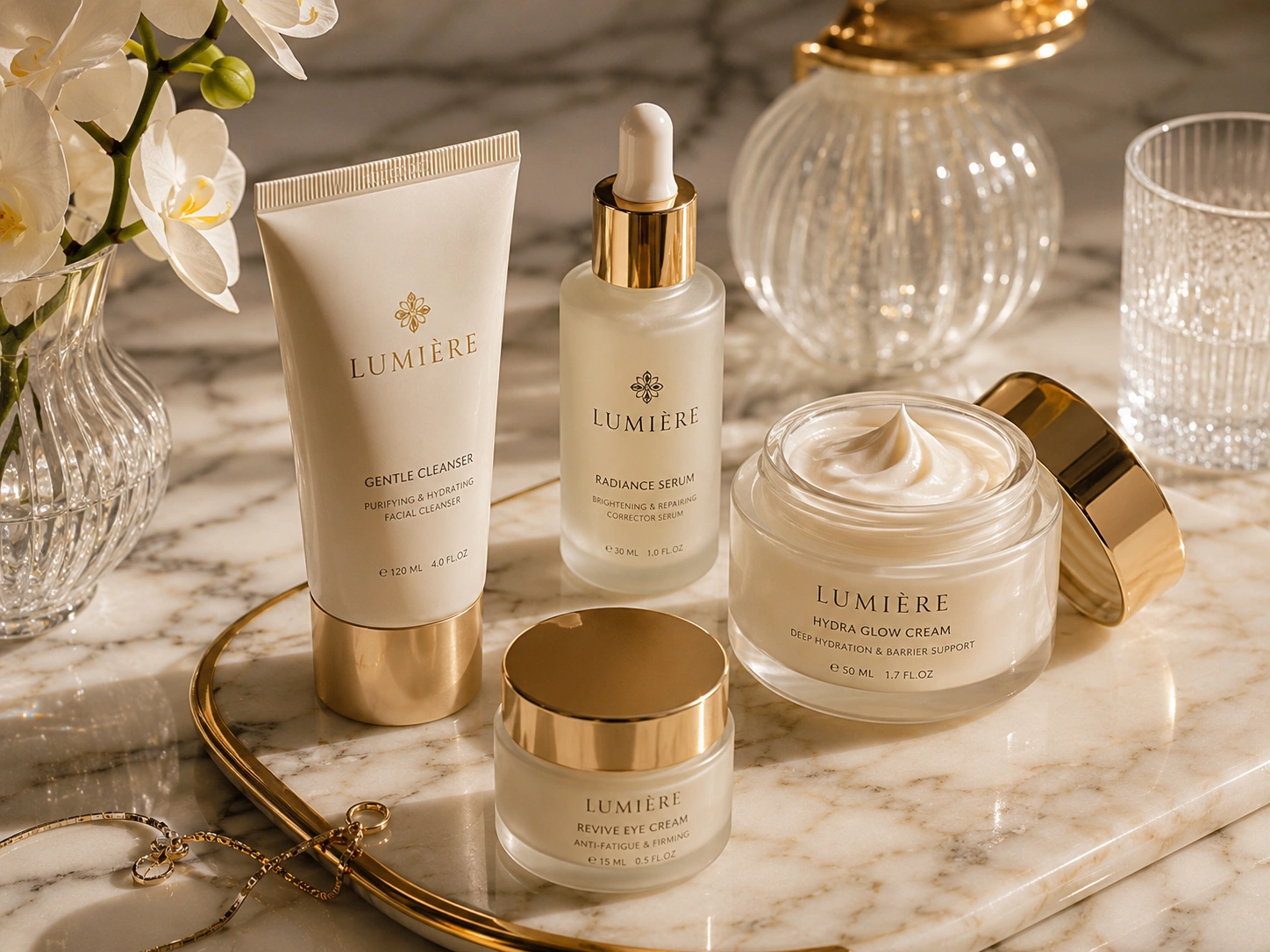
Skincare product on marble surface used as an image to prompt example Reference Image

Skincare Product

04

A premium skincare product positioned on a marble surface with soft studio lighting and a clean luxury advertising aesthetic.

Style: Product Photography Detail: Standard
Generated Prompt Copy & refine
Premium commercial product photography, four-piece luxury skincare collection arranged on polished white marble surface with subtle grey veining, elegant gold-rimmed oval mirror tray reflecting soft ambient light, pristine white orchid blossoms in fluted crystal vase with delicate green stems, vintage-style ribbed glass perfume bottle with ornate gold cap, cut crystal water glass catching prismatic highlights, delicate gold chain jewelry with small pendant partially visible, soft diffused studio lighting from upper left creating gentle shadows and luminous reflections on metallic gold accents, warm neutral color palette with ivory, champagne, and soft gold tones, shallow depth of field with razor-sharp focus on product labels, creamy matte white tubes and jars with embossed gold typography, glass dropper bottle with golden collar, open jar revealing swirled pearl-white cream texture, clean minimalist composition with balanced asymmetry, high-end beauty editorial aesthetic, 8K resolution, photorealistic texture rendering, subtle lens flare on glass surfaces.

Best for: e-commerce visuals, product advertising, mockups, and commercial creative.

Frequently Asked Questions

Have a question about converting images into AI prompts? Find quick answers to common questions about the ConverterMAX image to prompt generator.

An image to prompt generator is an AI-powered tool that analyzes an uploaded image and converts its visual characteristics, such as the subject, composition, lighting, colors, and style, into a text prompt. You can then use that prompt as a starting point in an AI image generator such as Midjourney, ChatGPT/DALL-E, Stable Diffusion, or Flux.

Upload your photo to the ConverterMAX image to prompt tool, choose the prompt style that matches your target AI tool, select your preferred detail level, and click Generate. The tool analyzes the image and returns a text prompt that you can copy, edit, and use in your preferred AI image generator.

Yes. The ConverterMAX image to prompt generator is free to use in your browser. No account, login, or subscription is required to use the tool. Availability and usage limits, if any, are determined by the current version of the tool.

Midjourney's /describe feature analyzes an uploaded image and generates prompt suggestions intended for Midjourney workflows. ConverterMAX is designed for a broader image-to-prompt workflow, allowing you to choose different prompt styles and detail levels for tools such as Midjourney, ChatGPT/DALL-E, Flux, Stable Diffusion, Photography, and other creative workflows.

Yes. You can upload a clear screenshot from a movie, game, video, presentation, website, or other visual source, provided the image meets the tool's supported format and size requirements. For video references, taking a screenshot of a useful frame is a simple way to analyze its visual characteristics.

ConverterMAX supports JPG, PNG, and WEBP images. The current tool limit is 30MB per image. Make sure your uploaded file uses one of these supported image formats and stays within the maximum upload size.

Image storage depends on how the current ConverterMAX image processing system is configured. If uploaded images are processed temporarily and deleted after processing, your website privacy policy should clearly explain that. Make sure this statement matches your actual image processing and retention practices.

The generated prompt can be used as a starting point for your creative workflow. However, commercial rights for the final images you generate depend on the terms and policies of the specific AI image generator you use. Always check the current commercial-use terms of the platform before using generated images for commercial work.

Reverse prompting is the process of starting with an existing image and working backward to identify the kinds of text descriptions that could recreate or approximate its visual characteristics. Image-to-prompt generators automate much of this process, giving you a useful starting point without requiring advanced prompt engineering knowledge.

Scroll to Top